Posts

Sinhala-English translation of SL government jargon

Sinhala-English translation of SL government jargon Calendar year - ලිත් වර්ෂය Chapter - පරිච්ඡේදය  Efficiency Bar Examination -  කාර්යක්ෂමතා කඩඉම් පරීක්ෂණය Establishments Code - ආයතන සංග්‍රහය Employment Contract - සේවා නියුක්ති ගිවිසුම Interim allowance - අන්තර් දීමනාව Provisions - විධිවිධාන  Procedural Rules - පටිපාටික රීති Remuneration - පාරිශ්‍රමිකය   Sri Lankan Official Languages Policy - රාජ්‍ය භාෂා ප්‍රතිපත්තිය Director General at Department of Pensions - විශ්‍රාම වැටුප් අධ්‍යක්ෂක Public Officers' (Security) Ordinance - නිලධාරින්ගේ (ඇප) ආඥාපනත For necessary action (FNA) - අවශ්‍ය කටයුතු සඳහා (අ. ක.ස.) State Counsel - රජයේ අධිනීතීඥ Scheme - පටිපාටිය Section - වගන්තිය Volume - කාණ්ඩය Wages board - පඩි පාලක සභාව Other words and phrases Gender - පුමිතිරිබව Note:  ස්ත්‍රී පුරුෂ සමාජභාවය is not a good translation of the word "gender" as it limits the spectrum of genders to male and female.  Difficult, most d...

Windows 10 — No wifi, Device Manager refreshes, and Network and Internet settings crash

If you are having the following symptoms,  No wifi connectivity  Network status shows a dashed line Device Manager refreshes Network and Internet settings crashes Try this: Go to Windows Services (press Win + R, type services.msc , hit enter) Enable Network List Service .  Those symptoms should go away.  Original answer appears on:  answers.microsoft.com/en-us/windows/forum/all/wifi-status-appears-as-a-dashed-line-cannot-find/1e3b01e6-16b0-45b0-a4db-5414ae1c8bec

Windows 10 not detecting ViewSonic monitor over HDMI

What to do if your Windows 10 computer cannot detect ViewSonic monitor over HDMI and shows the "no signal" error?  The following remedies may not work: Connecting the monitor via VGA. Switching the projecting through Win Key + P Restarting the computer.  Using a different HDMI cable.  Re-plugging the cables Solution:  Connect your monitor to a different device and ensure your monitor receives the signal. And then, disconnect from that device and connect it to the device you prefer.  That somehow reminded the monitor of its job.  In my case, I connected it to the IP TV receiver. It could be a different computer or your XBOX or satellite receiver.   Have a good day!

Ubuntu Xrdp polkit policy error when mounting external USB storage

SOLUTION You need to mount USB storage using PMOUNT via the terminal.  First, install PMOUNT sudo apt-get install PMOUNT Then mount the storage device: pmount /dev/sda1 (replace sda1 with drive label) You can find the drive label from the Disks  utility; search for Disks on Ubuntu. To unmount. p u mount /dev/sda1  ( replace  sda1 with  drive label)

Thought of the day...

Image
    The greatest enemy of capitalism is a mind nurtured by Bhavana [meditation].

File "stdin", line 1 — invalid syntax error in Visual Studio Code

Image
If you came across this error, keep on reading to learn how to fix it.  File "<stdin>", line 1     & C:/Users/Chanaka/AppData/Local/Microsoft/WindowsApps/PythonSoftwareFoundation.Python.3.9/python.exe g:/CP/hello_world.py     ^ SyntaxError: invalid syntax I got this error for a simple hello world python code. Python files cannot be run within the interpreter. Sounds weird right? Python cannot be run within Python! 🙄  I know why but my thought process is not quite clear. Until I process my thoughts, try THE fix. I wish the error message was descriptive for noobs like me.  FIX Type exit() in the Visual Studio Code terminal and press enter, as shown below. Then run the Python file in the terminal. Ta Da! You should not see this error again.  Happy Pythoning.  

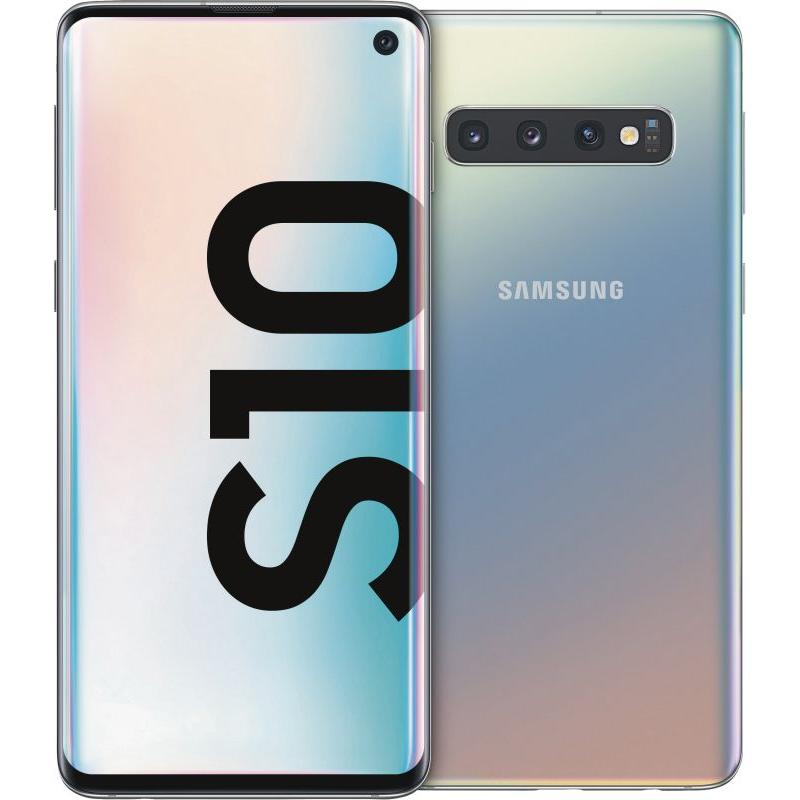
Cannot boot in to the Samsung S10 (Galaxy) recovery mode/menu? Here's the fix. (2021 May)

Image
 1. Turn off the phone.   2. Connect the phone to your PC via the USB-C cable. 3. Immediately press and hold the the Volume Up + Bixby + Power keys.      Note: This has to be done immediately after connecting the phone to PC.  4. The recovery menu should appear now.